
BWX Series.Three apps for playing live.
The first series from APSIS Lab. Three apps that cover a live set from start to finish: play it, process it, record it. Built by Bassywax and ilayruni for their own shows.
Two artists. One live set.
We're Bassywax and ilayruni, working artists who play live together, on iPads. We run APSIS, a sound design and composition studio with its own music tech lab, APSIS Lab, where we build the tools we use on stage.
Every BWX app started as something we needed in the booth, and every update is played in our shows first.
 Hear what we play withBaylas (live) at Perpendicular 2026Bassywax & ilayruni · SoundCloud ↗
Which cable do I need? Connectivity ↓

BWX Performer
Play live with Ableton Live or BitwigTurns your iPad into an instrument to play live with Ableton Live or Bitwig Studio. Play your set in up to four decks as you would with four CDJs, mix stems with a mixer made to measure, and play your effects and synths with your own controls. Made by two working artists for their own live set with stems.
- Works with
- ABLETON LIVE 11–12 · BITWIG STUDIO 6.1+
- Connection
- USB OR WI-FI · BWX BRIDGE (INCLUDED)
- Needs
- IPAD WITH IPADOS 17+ · MAC OR WINDOWS PC
Project
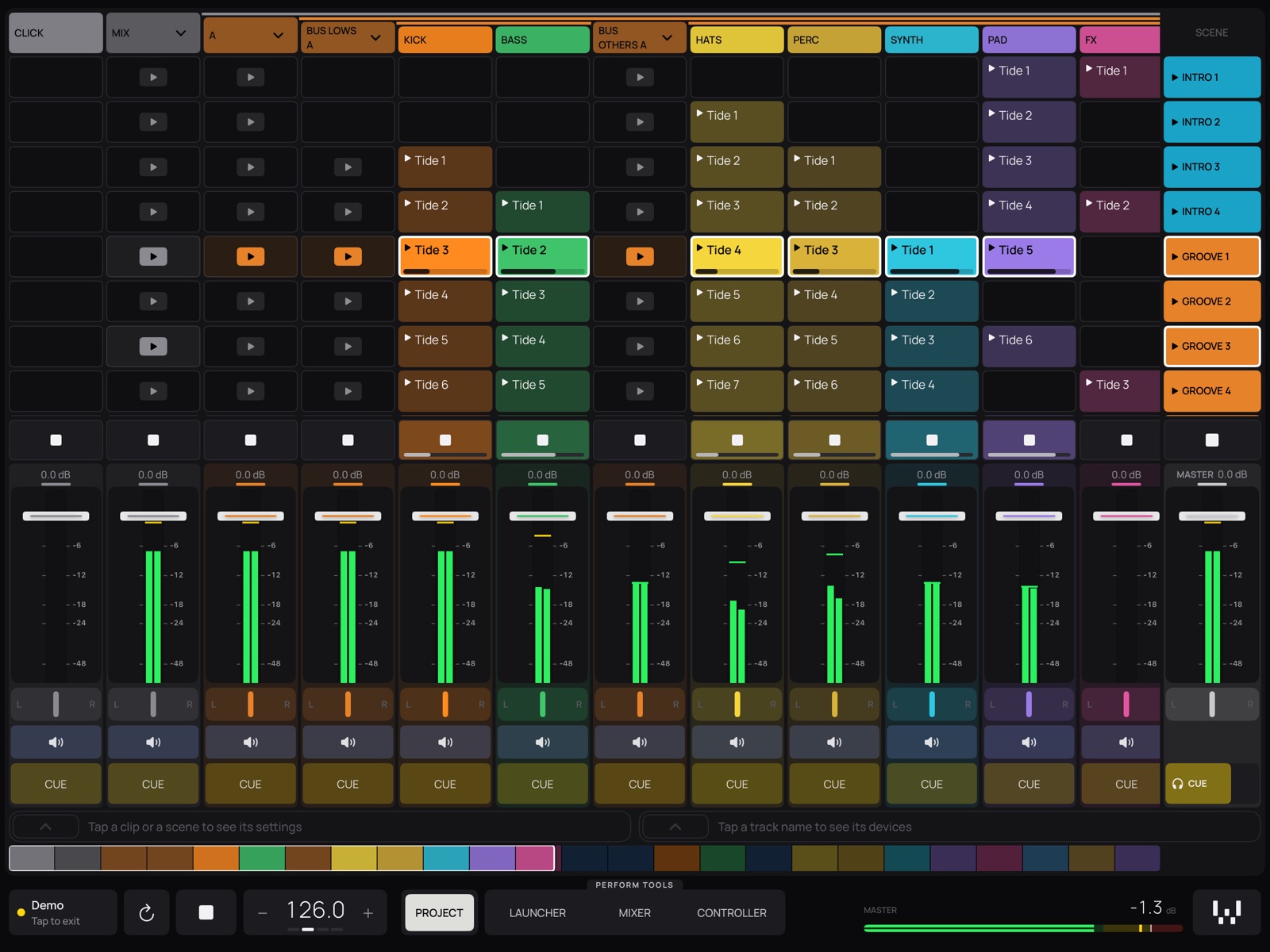
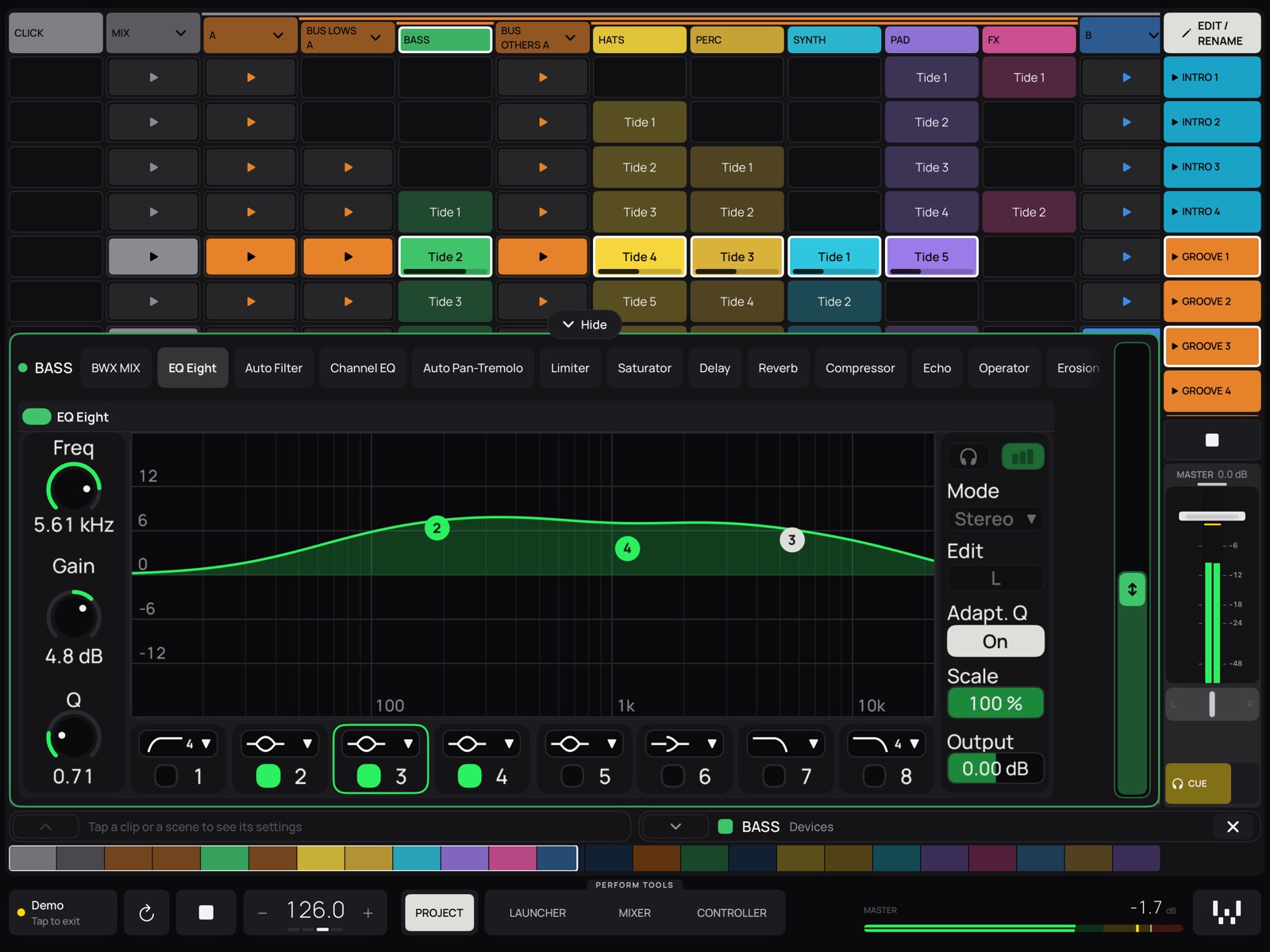
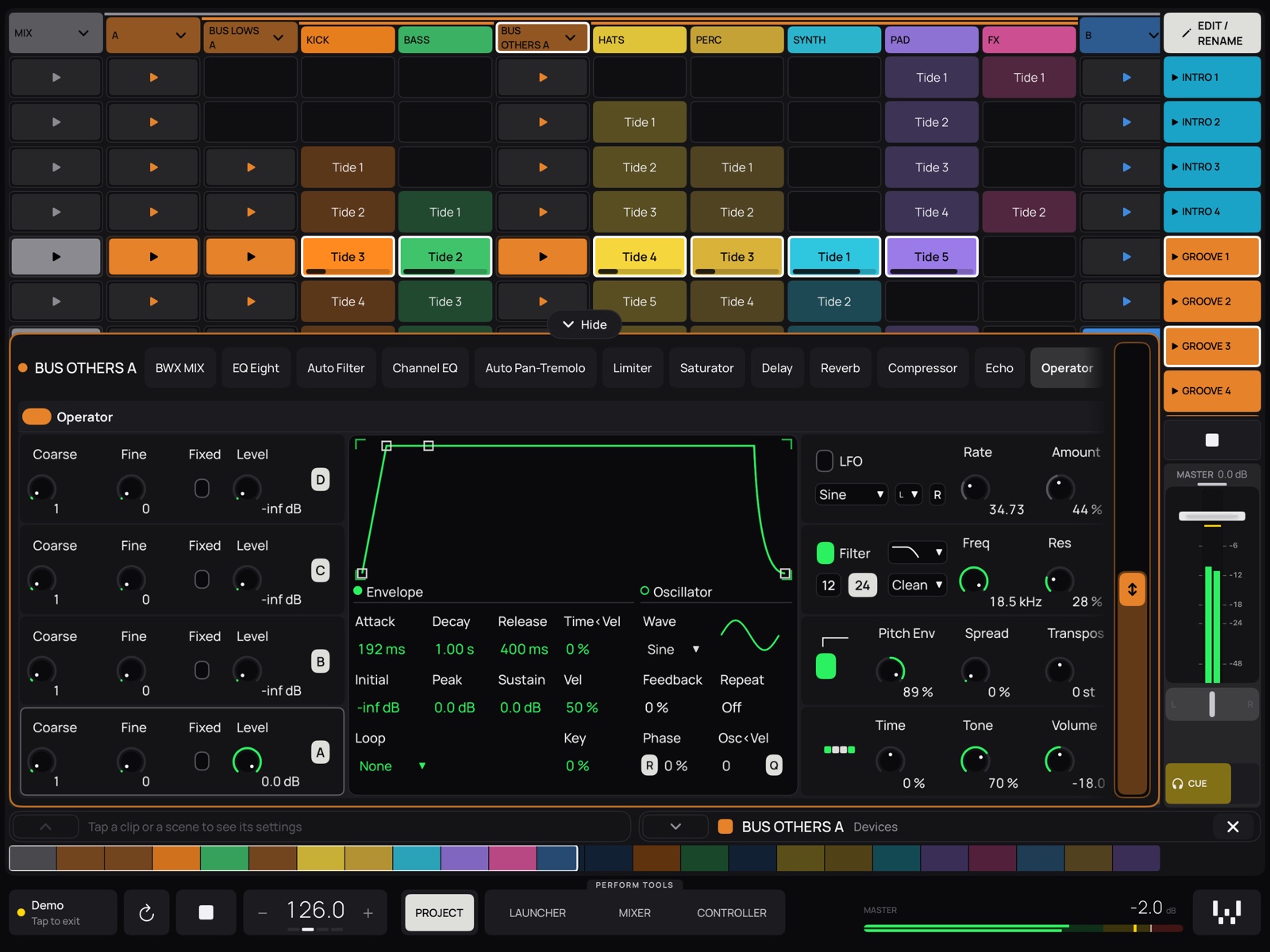
Your whole Ableton Live or Bitwig set on the iPad: tracks with their colours, clips, scenes and mixer. Open any track and play its devices, effects and instruments alike.
Perform tools
That set, taken to the stage. Launcher with up to four decks, a DJ Mixer mapped to your DAW, and a Controller with your own knobs and faders, plus Piano and Drums with step sequencers.
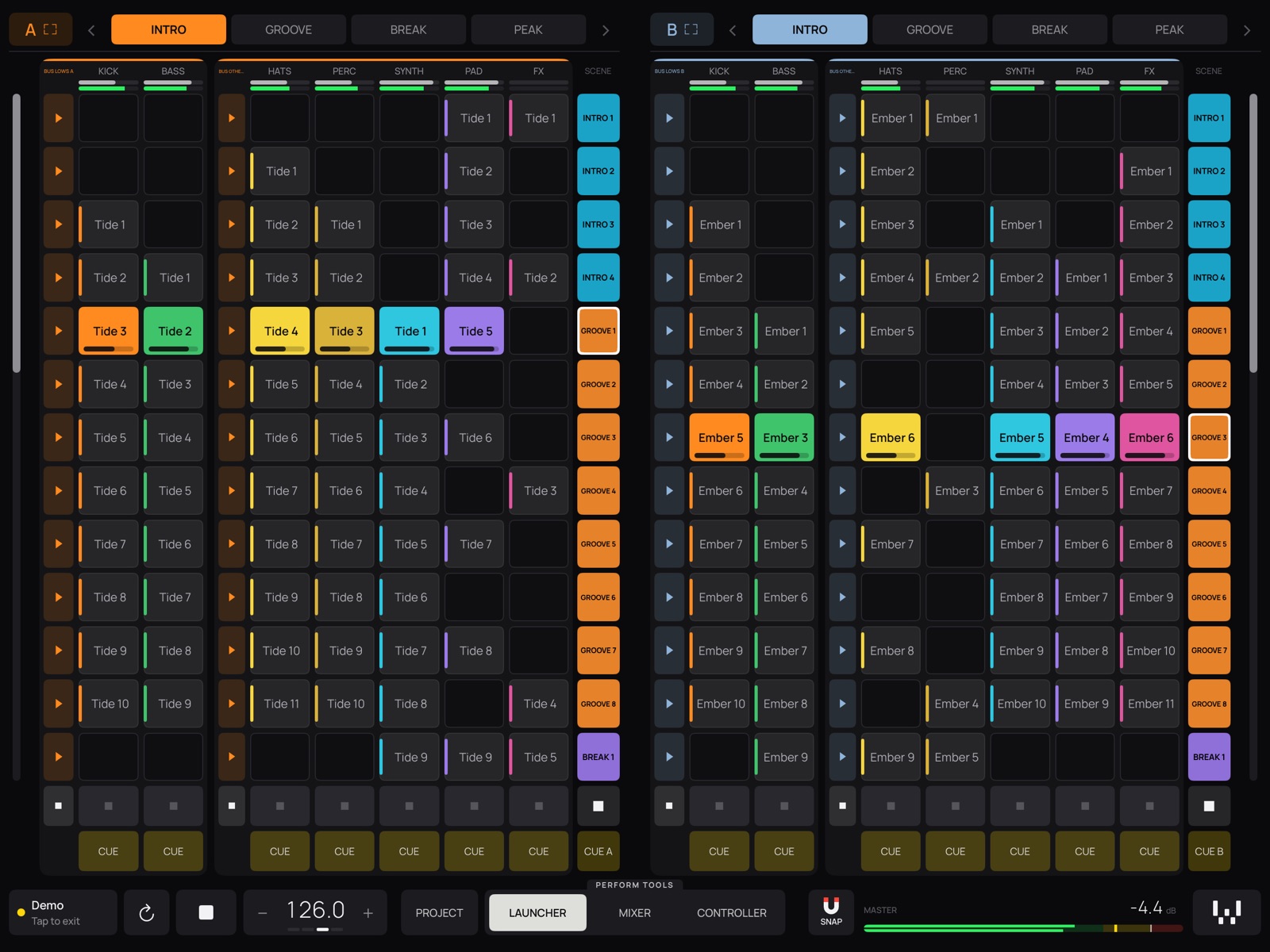
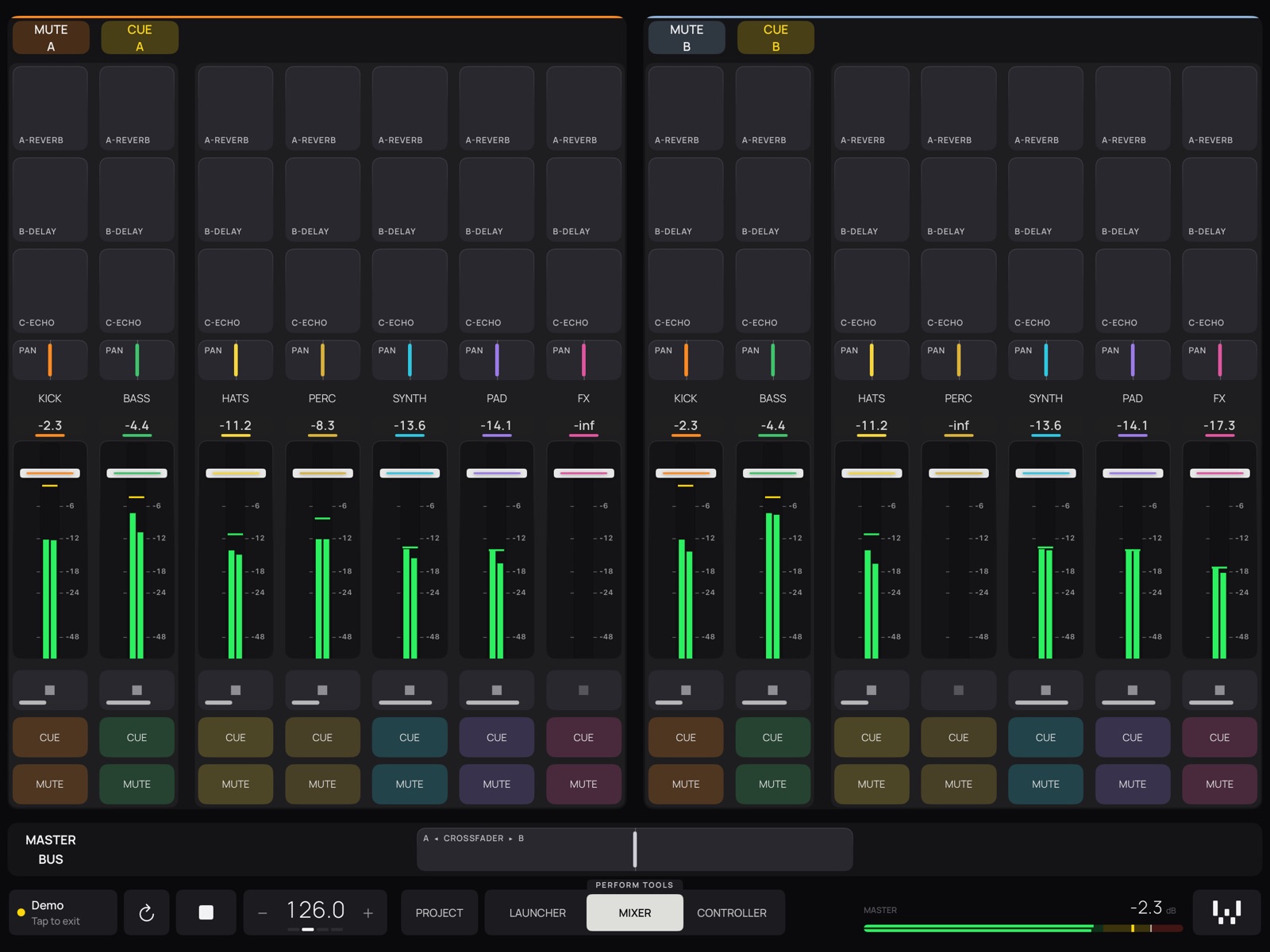
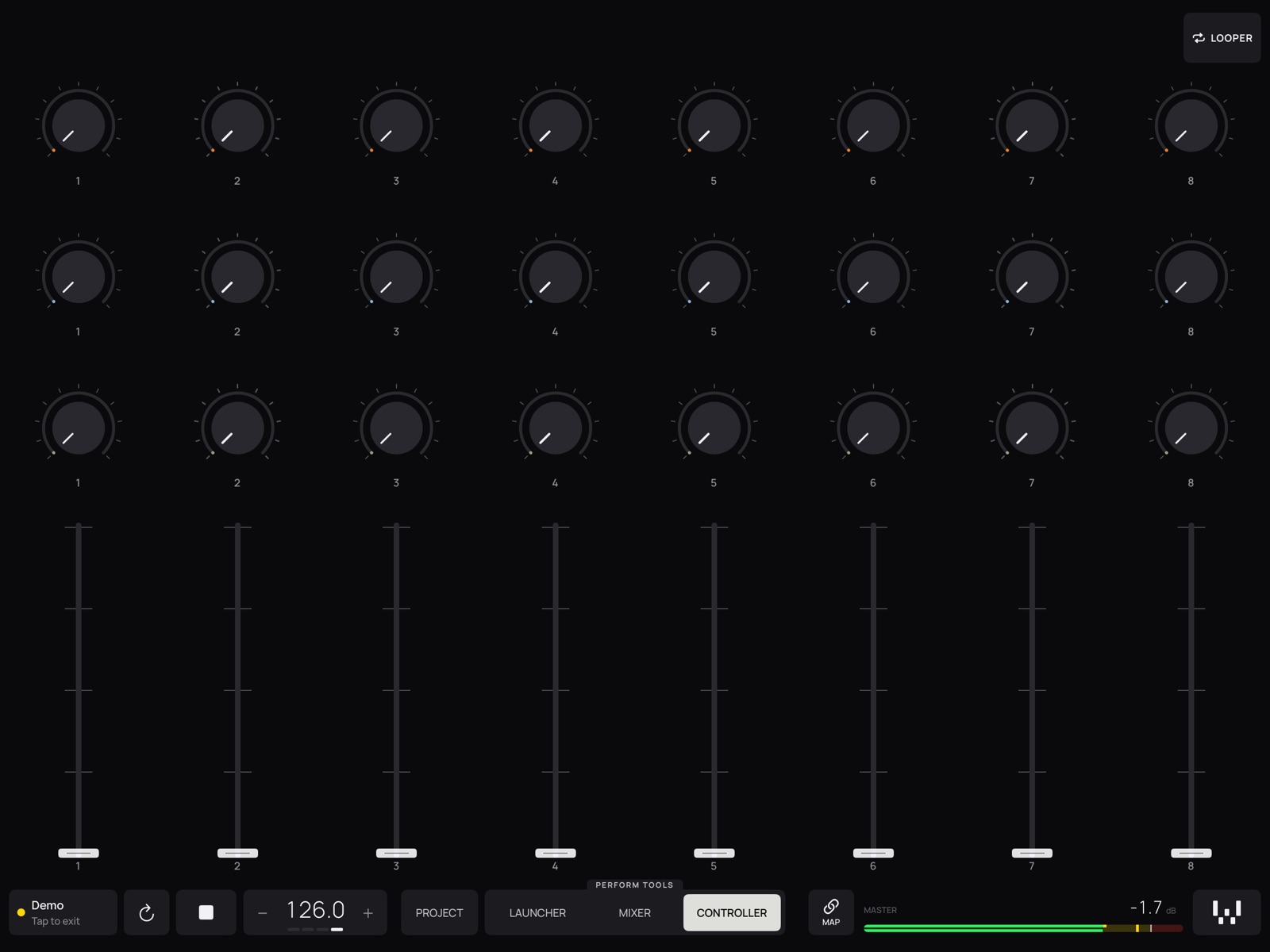
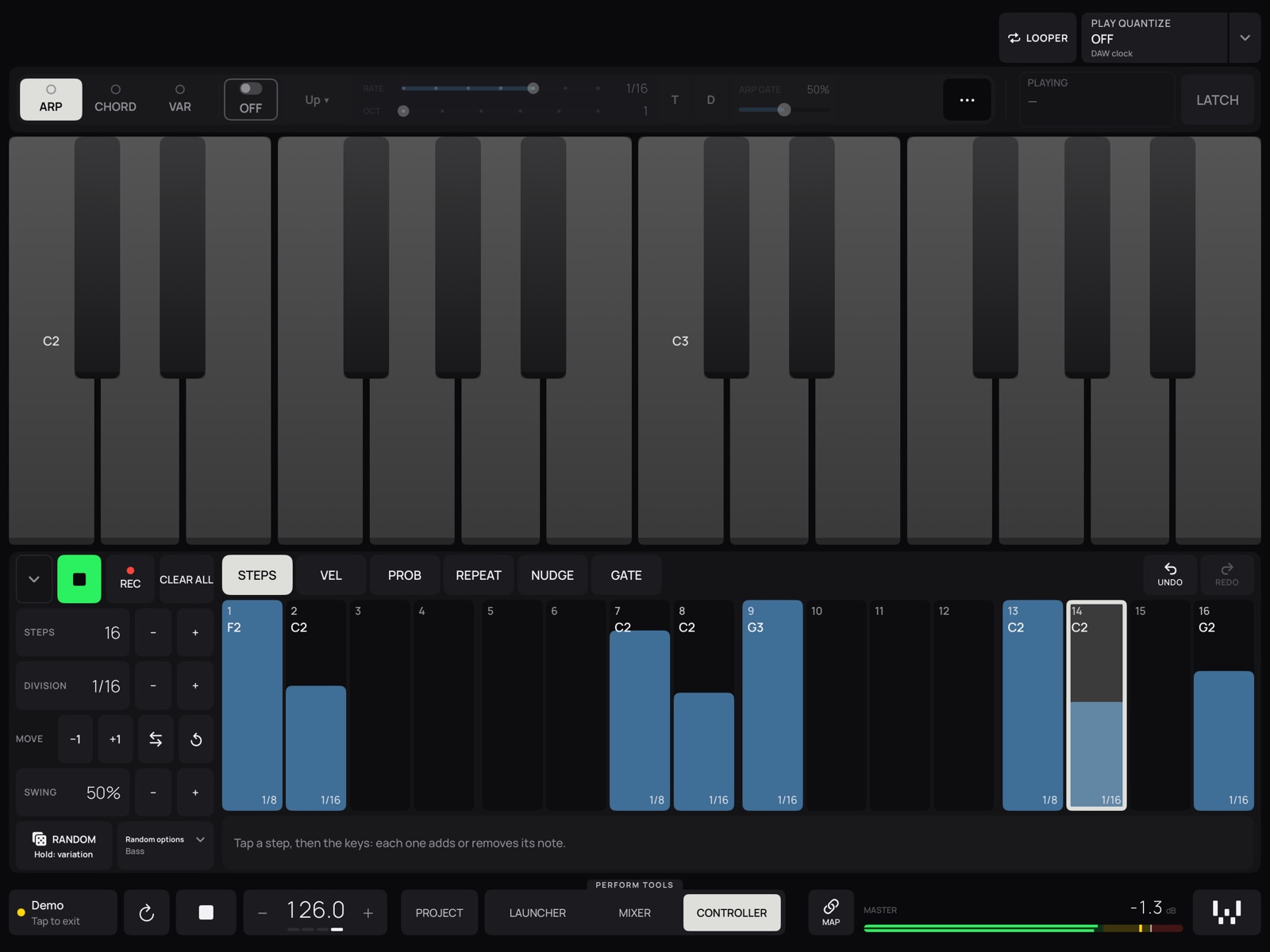
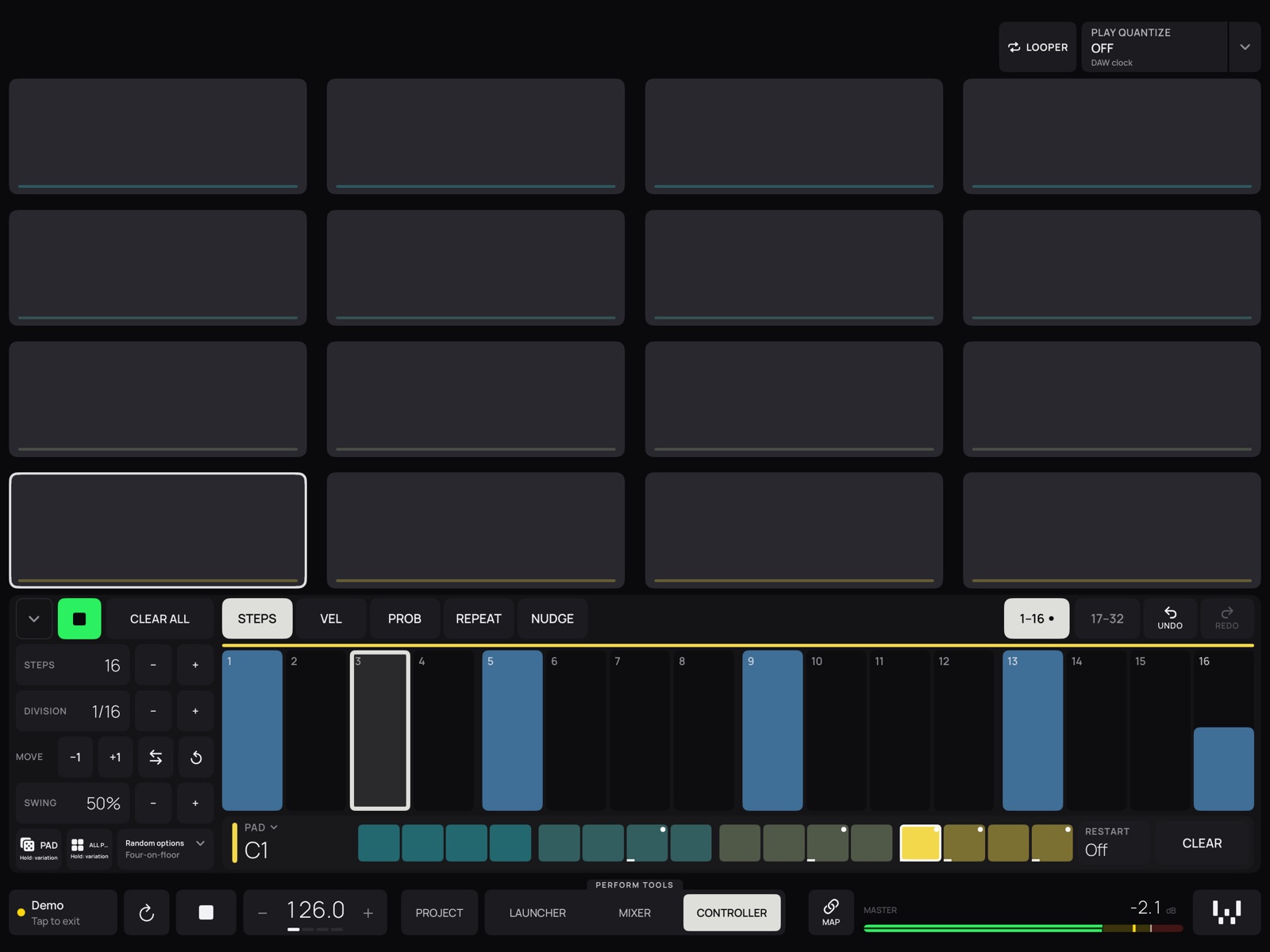
- 01Project
Every track from left to right with its colours and names, groups, clips and scenes. Volume, pan, mute, CUE and sends under each track. Tap a track to play its devices.
- 02Launcher
One to four decks, up to 24 tracks. Clips lit while playing, blinking when queued. Launch a scene in one deck, jump between sections, pre-listen with CUE.
- 03Mixer
Big volume or filter faders, low- and high-pass filters, up to six sends, effect racks with Dry / Wet and a crossfader. The app can create missing filters and racks for you.
- 04Controller
Up to 10 pages of buttons, faders, knobs, encoders, XY pads and selectors. Map any parameter of your DAW, or send MIDI notes and CC. Templates to start from.
- 05Drums, piano and sequencers
16 pads with a step sequencer, a piano with scales, chords and arpeggiator, and a LOOPER that records the movement of a fader in time.
- 06Made for the booth
Big controls you can hit in the dark, nothing changes by itself while you play, and a demo set to try every screen without a computer. iPhone works as a companion controller.

BWX Pedal
Effects for the sends of your Xone:96Turns your iPhone or iPad into an effects pedal for the two sends of your DJ mixer. Made for the Allen & Heath Xone:96 and just as at home on the SSL BiG SiX. One USB cable, no computer, no other apps: the sends reach the app over USB, it adds the effects and sends them back to the returns.
- Works with
- XONE:96 · SSL BIG SIX · CLASS-COMPLIANT USB MIXERS
- Connection
- ONE USB CABLE
- Needs
- IPHONE OR IPAD WITH IOS 15+
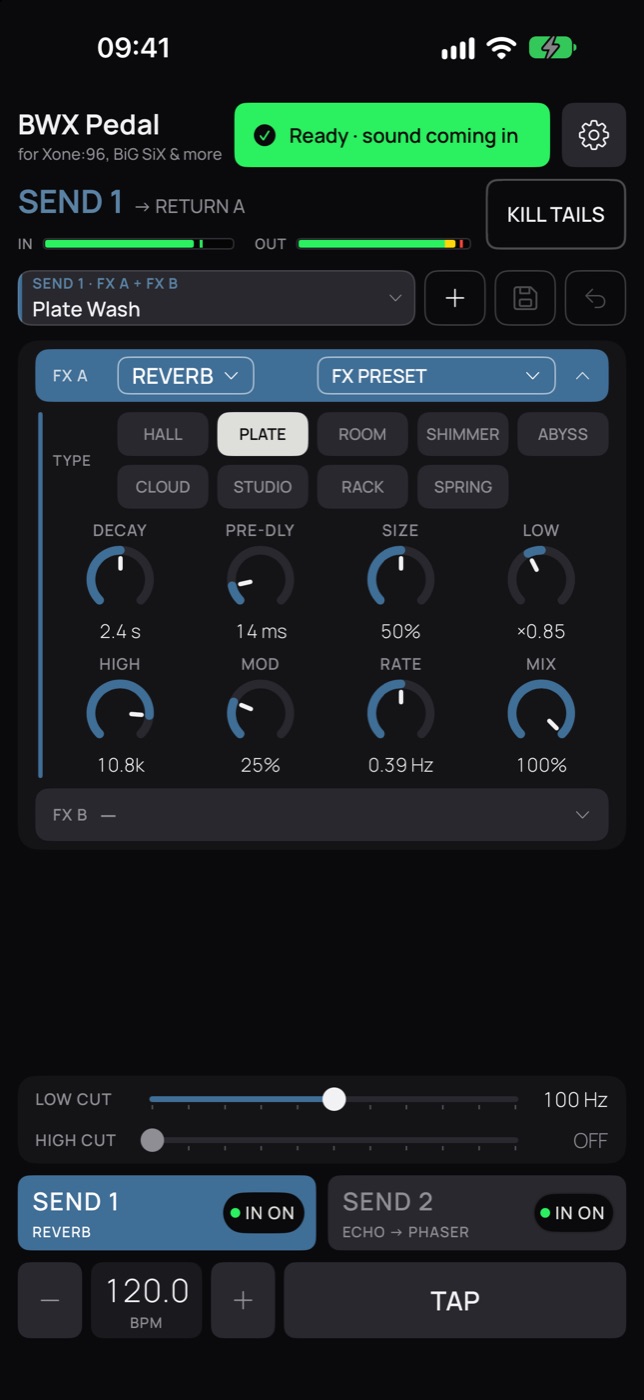
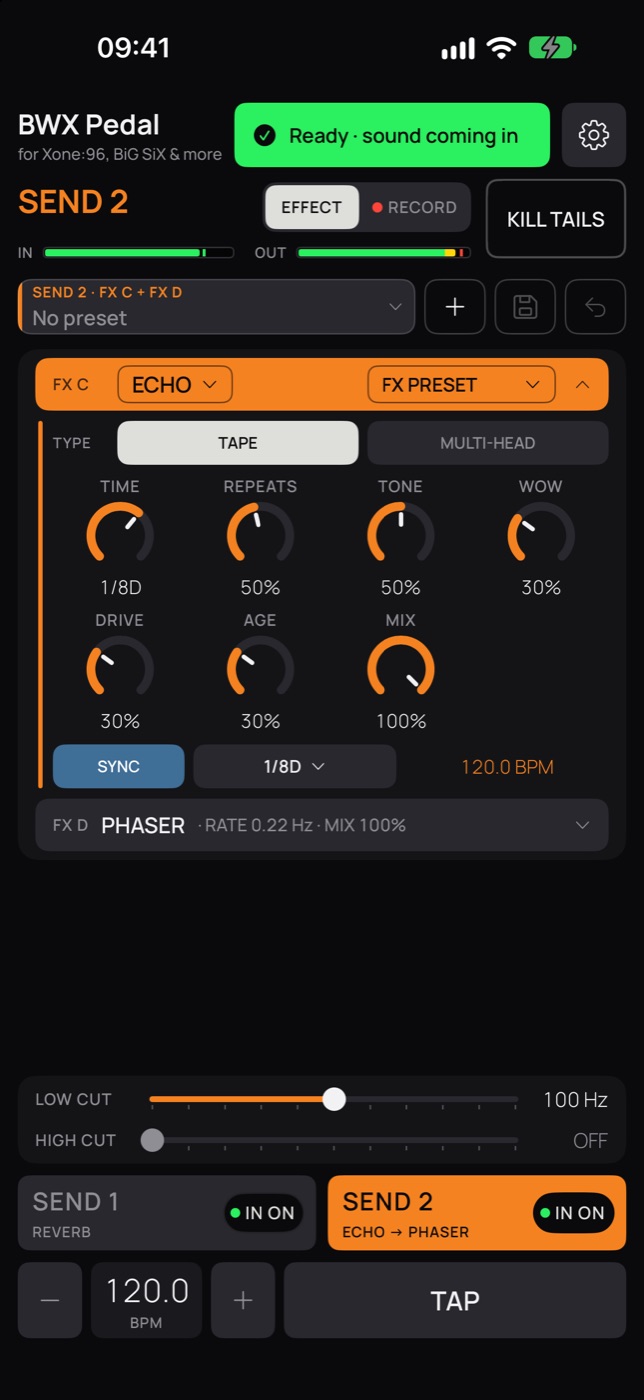
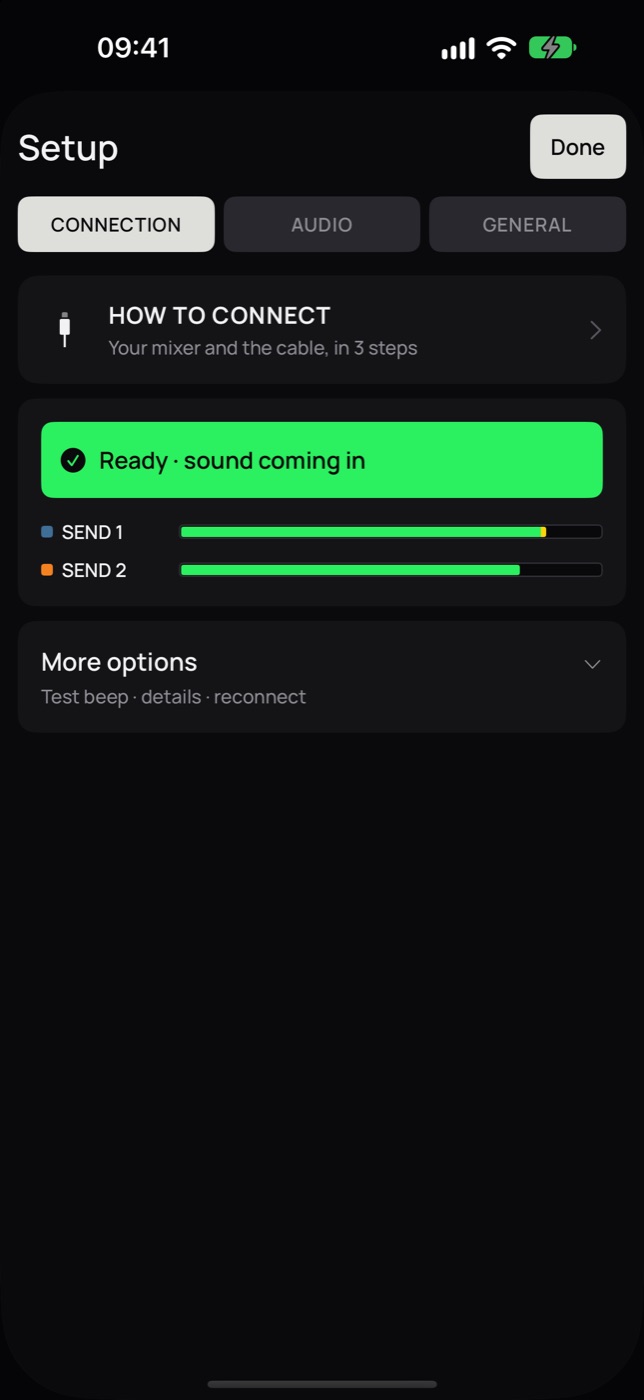
Built around it: Send 1 and Send 2 reach the app over USB 9/10 and 11/12 and come back straight into Return A and Return B. Plug in and play.
- SSL BiG SiXCUE 1 and CUE 2 to EXT 1 and EXT 2, recognised and set up by the app.
- Class-compliant USB mixersAny mixer or interface with 4+ USB inputs and outputs, choosing the channels by hand.
- 01Two sends, two effects each
FX A → FX B on Send 1, FX C → FX D on Send 2, plus low and high cut. Change effects while you play and the tails keep ringing; KILL TAILS cuts them at once.
- 0211 effects
Reverbs (hall, plate, shimmer, abyss, spring…), delay, tape and multi-head echo, DJ filter, flanger, phaser, drive, comp, crush, Grain (granular) and Cosmo (rhythmic loops and stutters).
- 03In time with the music
TAP tempo or set the BPM; SYNC puts delay, echo, Grain and Cosmo in time with musical divisions.
- 04Your plugins
Load an AUv3 effect from the App Store as one of the effects of a send, with its own screen, mix and bypass.
- 05Presets
Factory presets for every effect and your own; send presets load both effects and cuts in one tap, with undo.
- 06Record the mix, built in
A light version of BWX Recorder inside the app: on the Xone:96, put Send 2 on RECORD and it records the mix as a WAV. For multitrack and editing, there is BWX Recorder.

BWX Recorder
Record your sets from the Xone:96Records your DJ sets and live shows on your iPhone or iPad straight from the mixer. Made for the Allen & Heath Xone:96, and it also works with the SSL BiG SiX and Pioneer DJ mixers. One USB cable and one button: what comes out of the master is what you get, as a 24-bit WAV at the mixer's quality.
- Works with
- XONE:96 · SSL BIG SIX · PIONEER DJ DJM · CLASS-COMPLIANT USB MIXERS
- Format
- 24-BIT WAV · MULTITRACK
- Connection
- ONE USB CABLE
- Needs
- IPHONE OR IPAD WITH IOS 15+
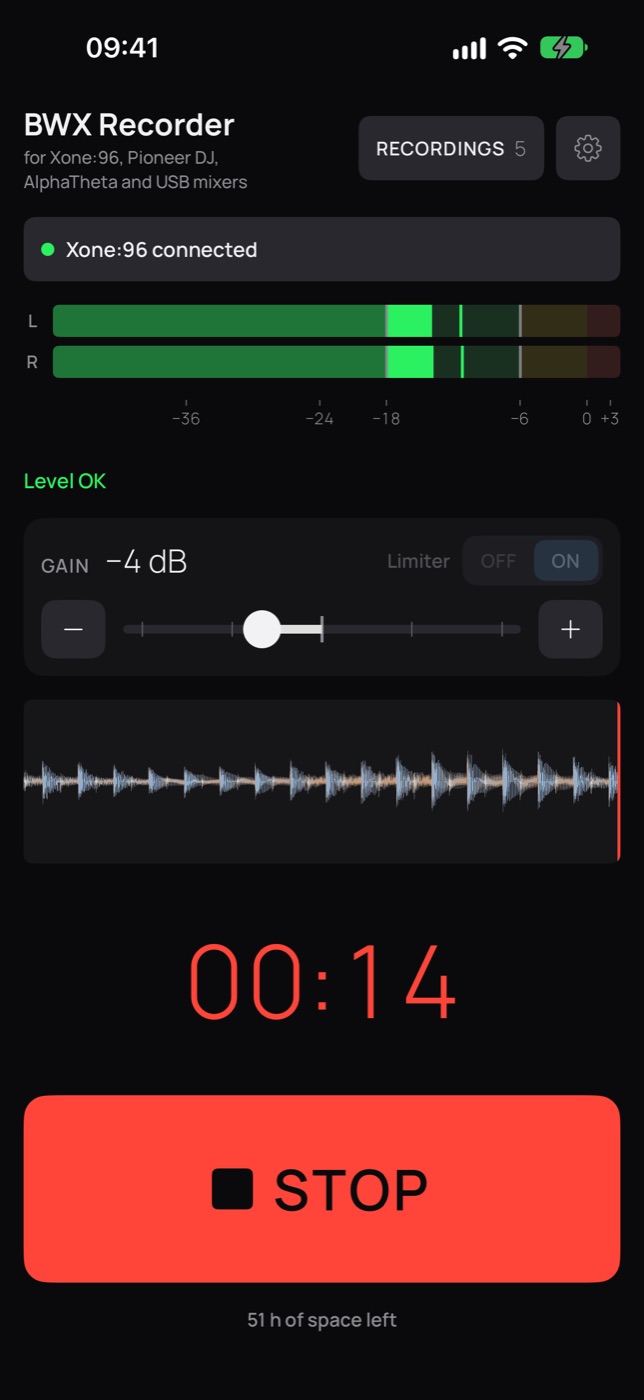
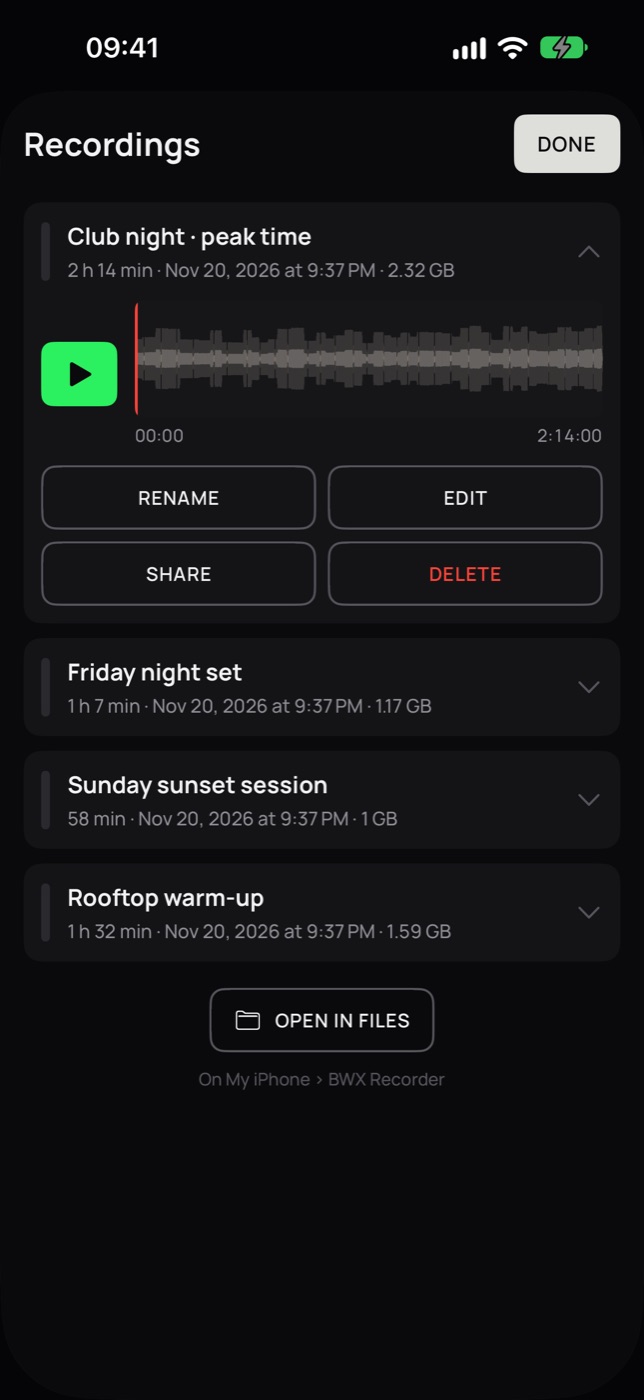
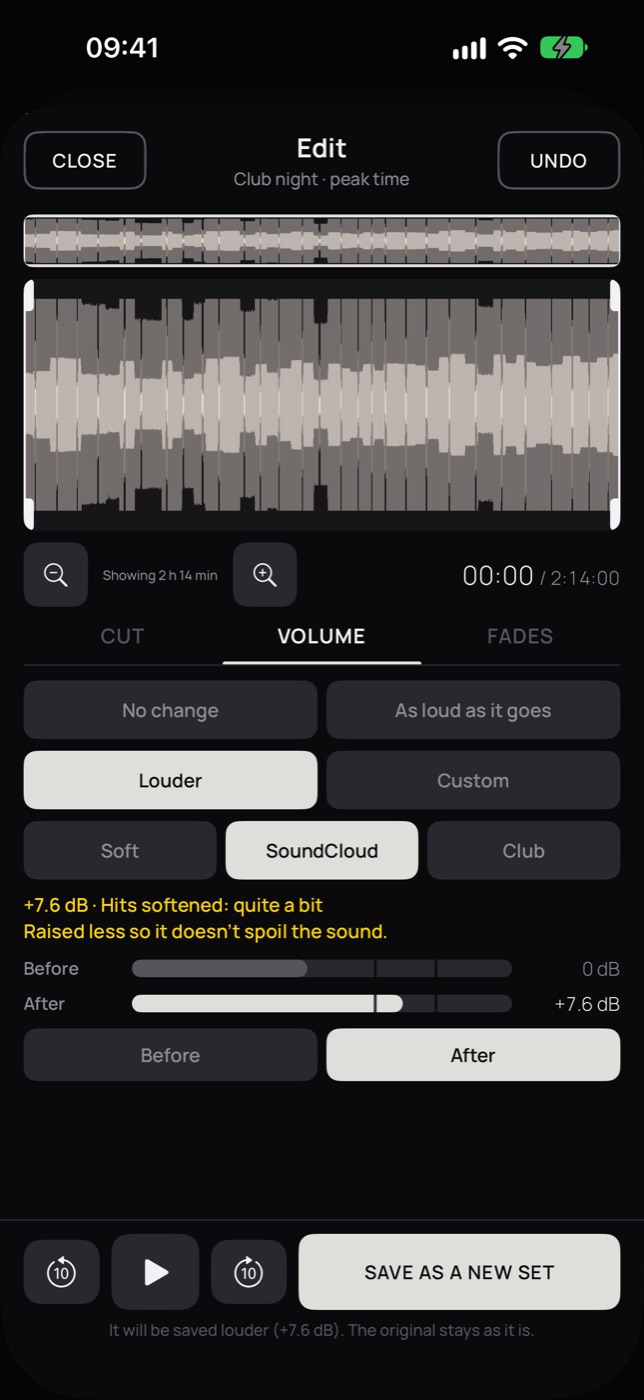
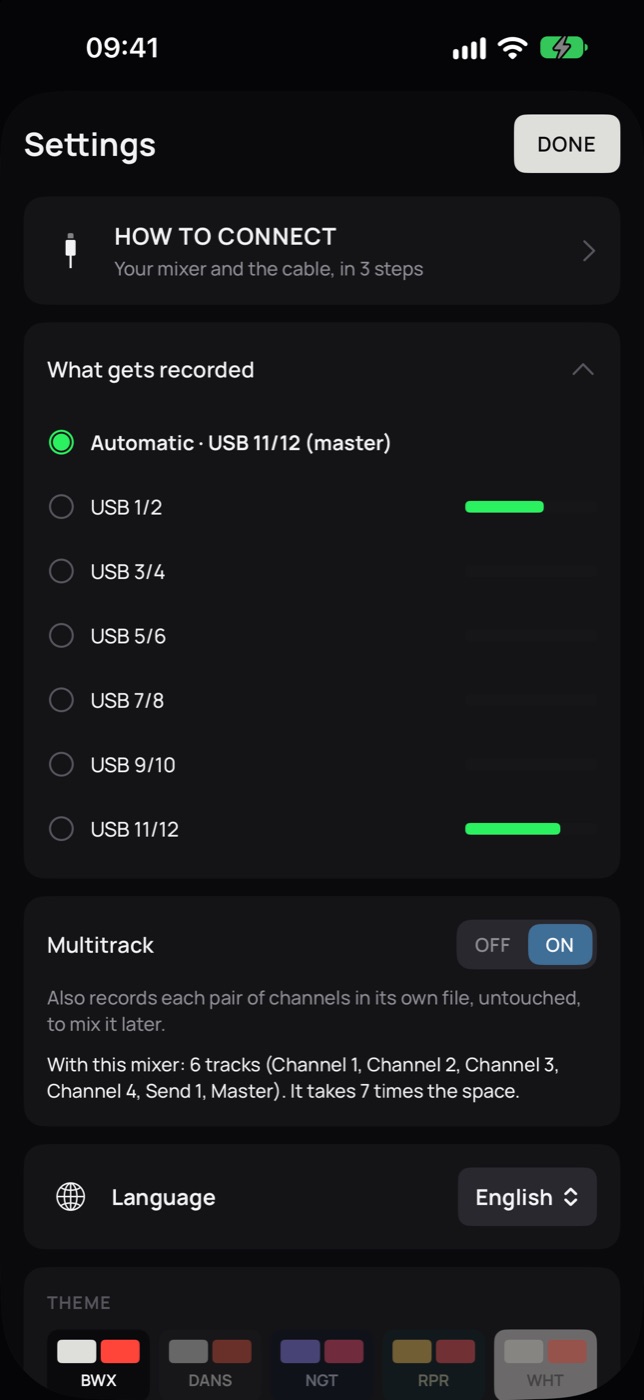
Built around it: records the mix that goes out over USB 11/12 (master section on MST), and in Multitrack the four channels, Send 1 and the master.
- SSL BiG SiXRecognised by the app, with 8 tracks in Multitrack.
- Pioneer DJ DJMThe DJM mixers that work with iPhone and iPad (no drivers): records the mix the mixer sends over USB.
- Class-compliant USB mixersRecords USB 1/2, or the channels you choose.
- 01One button
Press REC. The meters tell you if the level is OK, and stopping asks for confirmation: a brush of the hand in the booth won't end your set.
- 02Your set is never lost
Saved as it records. If the app closes, the battery dies or the cable comes loose, it recovers and continues in the same set.
- 03The right level
GAIN to bring the level up or down, and a limiter so peaks never distort, with clear messages.
- 04Edit
Cut the start, the end or a part in the middle, set the volume and draw fades. Edits are saved as a new set; the original is never touched.
- 05Multitrack
Besides your set, each pair of the mixer's channels in its own WAV, untouched, to mix it later on a computer.
- 06Share
The original WAV for mastering, or a light M4A for WhatsApp, email or SoundCloud. Everything is also in the Files app.
Which cable do I need?
Each BWX app connects to one thing: Performer to your computer, Pedal and Recorder to your mixer.
BWX Performer- On
- iPad · iPhone as a companion controller
- Connects to
- Your computer (Mac or Windows PC) with Ableton Live or Bitwig Studio and BWX Bridge, included in the app
- How
- A USB cable from the iPad to the computer, best for playing live, or the same Wi‑Fi network. The app finds your computer by itself.
BWX Pedal- On
- iPhone or iPad
- Connects to
- Your mixer: Xone:96, SSL BiG SiX or a class-compliant USB mixer
- How
- One USB cable to the mixer. Which one depends on your device and your mixer: see the table below.
BWX Recorder- On
- iPhone or iPad
- Connects to
- Your mixer: Xone:96, SSL BiG SiX, Pioneer DJ DJM or a class-compliant USB mixer
- How
- One USB cable to the mixer. Which one depends on your device and your mixer: see the table below.
Which cable for Pedal and Recorder
| Your device | Xone:96 · Pioneer DJM USB-B on the mixer | SSL BiG SiX USB-C on the mixer |
|---|---|---|
| iPhone or iPad with USB-CiPhone 15 and later · most iPads since 2018 | A USB-C to USB-B cable. or A small USB-B to USB-C adapter plugged into the mixer, plus the USB-C cable that came with your device. |
A USB-C to USB-C cable. The one that came with your device works. |
| iPhone or iPad with LightningiPhone 14 and earlier · older iPads | Apple's Lightning to USB 3 Camera Adapter plus a standard USB-A to USB-B cable. |
Apple's Lightning to USB 3 Camera Adapter plus a USB-A to USB-C cable. |
What we recommend
- USB-C to USB-B 2.0 cableUDG Ultimate USB 2.0 C-B · 1.5 m Thomann →
- USB-B to USB-C adapterUSB-B 2.0 male to USB-C female adapter · 2-pack Amazon →
- For LightningApple Lightning to USB 3 Camera Adapter Thomann →Lindy USB 2.0 A to B cable · 2 m Thomann →
- Pioneer DJMRecorder only. BWX Pedal works with the Xone:96, the SSL BiG SiX and class-compliant mixers with 4 or more USB inputs and outputs.
- LightningWe don't recommend a direct Lightning to USB-B cable. A plain one can't work, and the ones with a built-in chip are untested with these mixers. Apple's camera adapter is the reliable way.
- Long setsApple's USB 3 adapter has its own Lightning port, so you can charge while you play or record.